
Clothing photography for an online store: model, mannequin or flat lay?
A garment can look neat and graphic in a flat lay, hold its shape on a mannequin, and reveal its true fit on a person. Each format answers a different customer question. The best choice depends not only on budget, but also on what shoppers need to understand before ordering.
If you are deciding how to photograph clothes for an online store, begin with the product's defining features. Fit and movement matter for a dress. The collar, sleeves and structure matter for a shirt. A printed T-shirt needs a clear view of the artwork, while a scarf depends on texture and colour. A model, a mannequin and a flat lay are not universal substitutes for one another. A useful product page may combine them.
If you are deciding how to photograph clothes for an online store, begin with the product's defining features. Fit and movement matter for a dress. The collar, sleeves and structure matter for a shirt. A printed T-shirt needs a clear view of the artwork, while a scarf depends on texture and colour. A model, a mannequin and a flat lay are not universal substitutes for one another. A useful product page may combine them.
What customers need to see in clothing photos
Product images should answer practical questions. What is the silhouette? Where does the hem fall? Is the cut fitted or loose? How does the fabric behave? Can the customer see the print, fastening, pockets and construction details? The less they have to imagine, the easier it is to assess the product.
Fit is especially important for dresses, jeans, jackets and coats. The same item looks different on a flat surface and on a person. A garment may form a perfect composition in a flat lay, but the customer still needs to understand its proportions, volume and length in relation to the body.
A basic printed T-shirt, scarf, belt or set of accessories has different priorities. A close, accurate view of the design, material and small details may be more valuable. Choosing clothing photography on a model or mannequin should therefore be based on information, not fashion.
Accurate colour is essential in every format. Lighting, background and editing should not turn the fabric into a different shade. Before publishing, compare the image with the real garment and check that different products and colour variations look consistent across the catalogue.
Fit is especially important for dresses, jeans, jackets and coats. The same item looks different on a flat surface and on a person. A garment may form a perfect composition in a flat lay, but the customer still needs to understand its proportions, volume and length in relation to the body.
A basic printed T-shirt, scarf, belt or set of accessories has different priorities. A close, accurate view of the design, material and small details may be more valuable. Choosing clothing photography on a model or mannequin should therefore be based on information, not fashion.
Accurate colour is essential in every format. Lighting, background and editing should not turn the fabric into a different shade. Before publishing, compare the image with the real garment and check that different products and colour variations look consistent across the catalogue.
Clothing photography on a model
A photograph on a person is the clearest way to show fit. Customers can see how the garment relates to height, where the waist sits, how loose the sleeves are and how the material moves. For a dress, photograph a neutral front view, a profile, the back and one gentle movement. For jeans, include the overall silhouette and a few natural body positions.
A model also communicates brand identity. Clothes can be styled with shoes, accessories and other pieces from the collection. These images can support product pages, the website, social media and advertising, provided the styling does not hide the item itself.
There are practical limitations. The model and sample size need to be chosen, outfits planned, garments changed and the session organised. A pose can hide a pocket, waistline or true length. Catalogue photography therefore needs several clear views, not only expressive lifestyle frames.
It helps to state the model's measurements and the size worn. This cannot predict the fit for every customer, but it offers a useful reference. Retouching should not alter the garment's proportions or remove natural folds that explain its construction.
A model also communicates brand identity. Clothes can be styled with shoes, accessories and other pieces from the collection. These images can support product pages, the website, social media and advertising, provided the styling does not hide the item itself.
There are practical limitations. The model and sample size need to be chosen, outfits planned, garments changed and the session organised. A pose can hide a pocket, waistline or true length. Catalogue photography therefore needs several clear views, not only expressive lifestyle frames.
It helps to state the model's measurements and the size worn. This cannot predict the fit for every customer, but it offers a useful reference. Retouching should not alter the garment's proportions or remove natural folds that explain its construction.
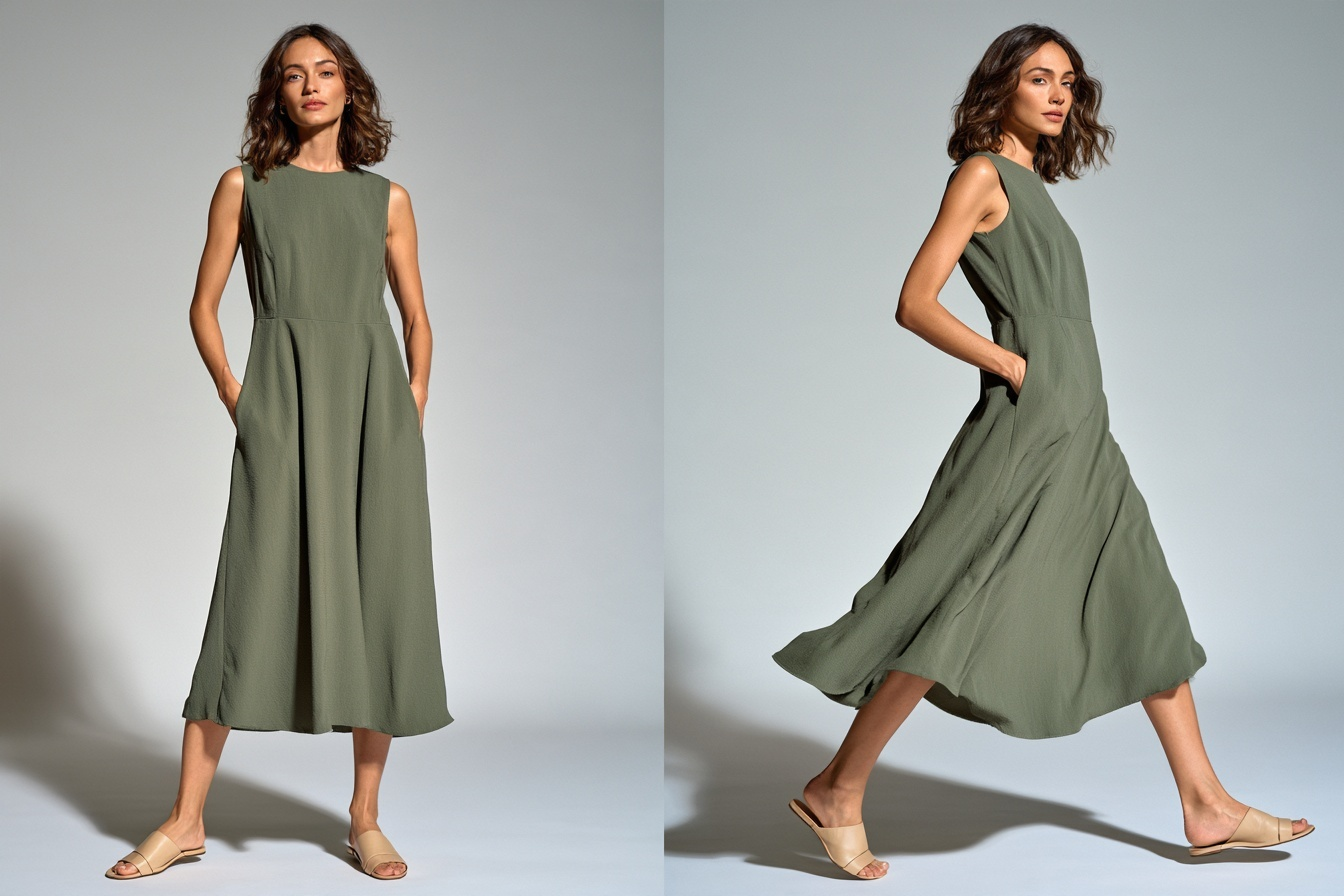
Clothing photography on a mannequin
A mannequin holds the garment's volume and makes consistent angles easier to repeat. It is useful for a series of shirts, jackets or outerwear photographed against the same background. The product keeps more shape than it would in a flat lay.
This approach suits catalogues with many SKUs. Camera height, lighting and mannequin position should remain consistent so that the collection reads as one series. Steam each garment, fasten it carefully, align the collar and check the symmetry before shooting.
A mannequin does not demonstrate movement or real fit on a person. The customer may still struggle to judge comfort, body proportions and length. If those features matter, neutral mannequin images can be supported by selected frames on a model.
A ghost mannequin is a separate technique. The support is removed from the final image, but the effect is not produced with one click. It normally requires extra photographs of the inside of the garment and additional editing. If this finish is required, both the source images and retouching should be agreed in advance.
This approach suits catalogues with many SKUs. Camera height, lighting and mannequin position should remain consistent so that the collection reads as one series. Steam each garment, fasten it carefully, align the collar and check the symmetry before shooting.
A mannequin does not demonstrate movement or real fit on a person. The customer may still struggle to judge comfort, body proportions and length. If those features matter, neutral mannequin images can be supported by selected frames on a model.
A ghost mannequin is a separate technique. The support is removed from the final image, but the effect is not produced with one click. It normally requires extra photographs of the inside of the garment and additional editing. If this finish is required, both the source images and retouching should be agreed in advance.
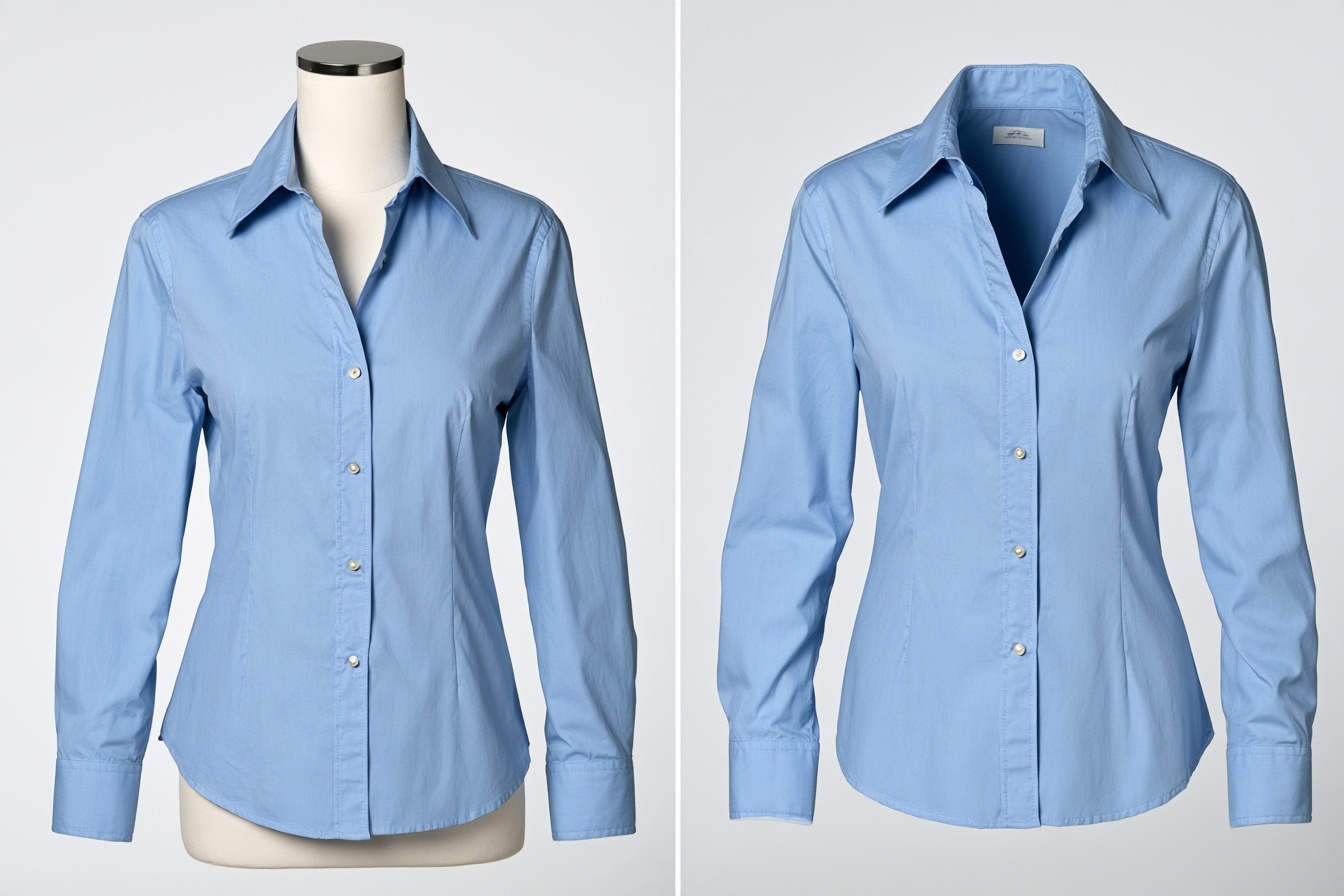
Flat lay clothing photography
A flat lay is photographed from above on a level surface. The garment is arranged flat or shaped with controlled folds, then incorporated into a composition. A photograph of clothing on a hanger is not a flat lay: it is vertical and the fabric behaves differently.
Flat lays work well for prints, fabric, embroidery, hardware and combinations of several pieces. A T-shirt, trousers and accessories can appear in one frame, or a collection can be presented through a consistent brand palette. No model is required, which makes the format practical for simple garments and graphic content.
The main limitation is the loss of volume and fit. A flat image cannot show clearly how an item sits on the body. Preparation also matters: a small crease or misalignment becomes obvious, especially in a symmetrical composition.
A true overhead setup should not be assumed to be available in every studio. It requires suitable camera height, safe mounting, enough floor or table space and controlled light. Confirm the required angle and background before booking.
Flat lays work well for prints, fabric, embroidery, hardware and combinations of several pieces. A T-shirt, trousers and accessories can appear in one frame, or a collection can be presented through a consistent brand palette. No model is required, which makes the format practical for simple garments and graphic content.
The main limitation is the loss of volume and fit. A flat image cannot show clearly how an item sits on the body. Preparation also matters: a small crease or misalignment becomes obvious, especially in a symmetrical composition.
A true overhead setup should not be assumed to be available in every studio. It requires suitable camera height, safe mounting, enough floor or table space and controlled light. Confirm the required angle and background before booking.
How to choose the right format for each garment
Start with one question: which feature has the greatest influence on the buying decision? If the answer is fit, use a person. If you need a stable silhouette and consistent catalogue, consider a mannequin. If the print, material or combination of objects is central, add a flat lay.
For a dress, show the model in a neutral pose and in motion, then include the back and a close view of the fabric. A basic T-shirt can be photographed on a model or mannequin, with the artwork repeated in a flat presentation. Jeans are usually more useful on a person because fit at the waist and hips matters more than perfect symmetry.
A small accessory often benefits from a flat lay and detailed close-ups. Outerwear holds its structure well on a mannequin, but a model explains the real length and volume. For that reason, the choice between a model and mannequin for clothing photography does not always have to be exclusive.
Consider where the images will be published. A website, advertisement and marketplace may have different rules for background, proportions and acceptable content. Requirements change, so check the current instructions of the specific platform before production.
For a dress, show the model in a neutral pose and in motion, then include the back and a close view of the fabric. A basic T-shirt can be photographed on a model or mannequin, with the artwork repeated in a flat presentation. Jeans are usually more useful on a person because fit at the waist and hips matters more than perfect symmetry.
A small accessory often benefits from a flat lay and detailed close-ups. Outerwear holds its structure well on a mannequin, but a model explains the real length and volume. For that reason, the choice between a model and mannequin for clothing photography does not always have to be exclusive.
Consider where the images will be published. A website, advertisement and marketplace may have different rules for background, proportions and acceptable content. Requirements change, so check the current instructions of the specific platform before production.
How to combine formats and prepare the shoot
One garment can produce a compact but informative sequence. The first image shows fit on a model. The second records the front and back shape. The third reveals fabric, print or hardware. A short movement can be added when the customer needs to understand the material in action.
Before the session, group products by priority. Check sample sizes, steam the clothes, remove loose threads and temporary labels, prepare outfits and list the required angles. Keep lighting and background consistent across the collection while checking the true shade of every material.
When several products and scenes are planned, prepare a content schedule. The guide to creating a month of content in one shoot (https://arporto-selfiestudio.com/blog/content-for-a-month-in-one-shoot) can help reduce random duplicates and cover several channels efficiently.
AR Porto provides a ready camera, lighting and background for self-directed sessions. Model sourcing can be discussed as part of a full production. Mannequin availability, a strict overhead setup and ghost mannequin editing should be confirmed separately. See content for business (https://arporto-selfiestudio.com/content-for-business) for production options.
Before the session, group products by priority. Check sample sizes, steam the clothes, remove loose threads and temporary labels, prepare outfits and list the required angles. Keep lighting and background consistent across the collection while checking the true shade of every material.
When several products and scenes are planned, prepare a content schedule. The guide to creating a month of content in one shoot (https://arporto-selfiestudio.com/blog/content-for-a-month-in-one-shoot) can help reduce random duplicates and cover several channels efficiently.
AR Porto provides a ready camera, lighting and background for self-directed sessions. Model sourcing can be discussed as part of a full production. Mannequin availability, a strict overhead setup and ghost mannequin editing should be confirmed separately. See content for business (https://arporto-selfiestudio.com/content-for-business) for production options.
The short answer
Choose a model when fit and brand image are central. Consider a mannequin when the catalogue needs a stable shape and consistent angles. Add a flat lay when the print, material or construction details matter most. For complex garments, the formats complement one another rather than compete.
ar.portostudio@gmail.com


AR Porto Selfie Studio © 2026


Leave a request
Our manager will contact you for booking
